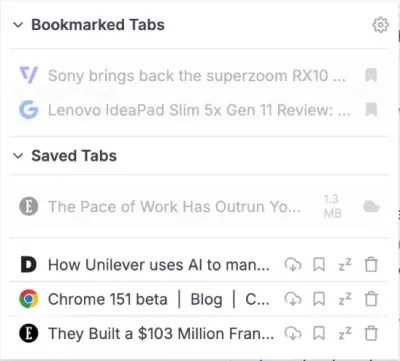
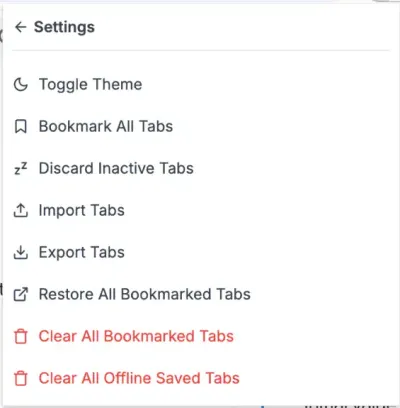
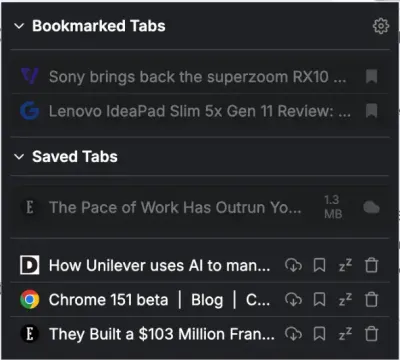
Organize Tab on Chrome Extension Light Mode UI Manage Tab Chrome Extension Settings Tab Manager Chrome Extension Dark Mode UI

Manage Tab: Organize Tabs on Chrome Extension

Manage Tab is a powerful, lightweight browser extension built to bring order to tab chaos. It provides a centralized hub where you can view, organize, discard, and securely save your tabs for both online and offline use—giving you back control over your workspace and system resources.

How Our Chrome Extension Helps You Organize Tabs?

Imagine you are deep into a research project or planning a trip. Your browser window is cluttered with 40 tiny tabs. Finding the exact page you need feels impossible, and your computer’s fan is spinning loudly as the browser eats up your RAM and drains your battery. Worse, you realize you need to go offline soon, but you aren’t finished reading your critical tabs.

Here is how Manage Tab steps in to handle that exact situation:

  • Active Tab Management: Instead of squinting at tiny tab icons, you open the extension to see a clean, scrollable list of everything you have open. You can instantly switch to the tab you need, or quickly close the ones you are finished with.
  • One-Click Snoozing: To quiet your computer’s fans and free up memory instantly, you click a single button to “snooze” (discard) all your inactive tabs. They go to sleep, preserving your system resources without losing your place.
  • Bookmarked Tabs: You know you’ll need to reference half of these tabs next week, so you easily save them to a local list before closing them to clear up your workspace. You can restore them whenever you are ready.
  • Offline Tab Saving: For the critical articles you must read while disconnected from the internet, you use the offline save feature. Manage Tab securely downloads the entire webpage to your device, allowing you to open and view the fully-rendered page natively in your browser—even on an airplane or when the original website goes down.
  • Privacy First & Fully Local: Best of all, your browsing habits, research topics, and offline files stay entirely on your device. Manage Tab operates 100% locally with no telemetry and no cloud syncing, completely respecting your data privacy.